Understand your payment costs.
See whether switching pays.
Your card rate is only the start. Bring processing fees, terminal rental, EPOS subscriptions and switching costs into one clear comparison.
EPOS Savings helps UK business owners, finance teams and payment professionals check the figures and make an informed decision. Check a bill, plan a seasonal year, research providers or explore EPOS equipment.
*Unless you choose to include a report in a review request.
Find the right starting pointWhat would you like to do?
Choose the starting point that fits your business.
Calculate payment costs
Understand a typical month or compare two offers, including equipment, subscriptions and switching costs.
Open the main calculatorPlan a seasonal year
Enter twelve individual months. Include quiet periods, annual charges and costs that continue when sales stop.
Use the seasonal calculatorExplore payment providers
Browse eleven payment and EPOS providers, read their cost guides and prepare questions for your shortlist.
Browse the provider directoryFind EPOS equipment
Explore packages, terminals, printers and scanners. Build a clear specification and request a supplier quotation.
Explore EPOS equipmentEPOS cost audit for finance directors
Review spending across sites, suppliers and contracts. Build a business case with implementation costs and net benefit included.
Free card payment and EPOS cost calculator
Check your existing bill or compare two plans. Choose a route below, or try a clearly labelled example before entering your own figures.
Does trade change through the year? Use the seasonal calculator for twelve individual months.
Step 1 of 4
Step 1 of 5
A lower rate can still cost more.
Comparing the percentage alone can miss charges that change the answer. This small example shows why the calculator includes the pence and the fixed costs too.
| Monthly cost | Offer A | Offer B |
|---|---|---|
| Percentage charge | 1.2% = £240 | 1.0% = £200 |
| Fixed payment fees | 5p × 1,000 = £50 | 8p × 1,000 = £80 |
| Equipment and software | £20 | £45 |
| Total each month | £310 | £325 |
Find the right setup for your counter.
From your first till to a wider rollout, explore 14 equipment and software options from the Switch&Save range. Compare practical uses and build a clear quotation brief.
Browse complete packages, touchscreen terminals, printers and scanners, counter accessories and EPOS software.
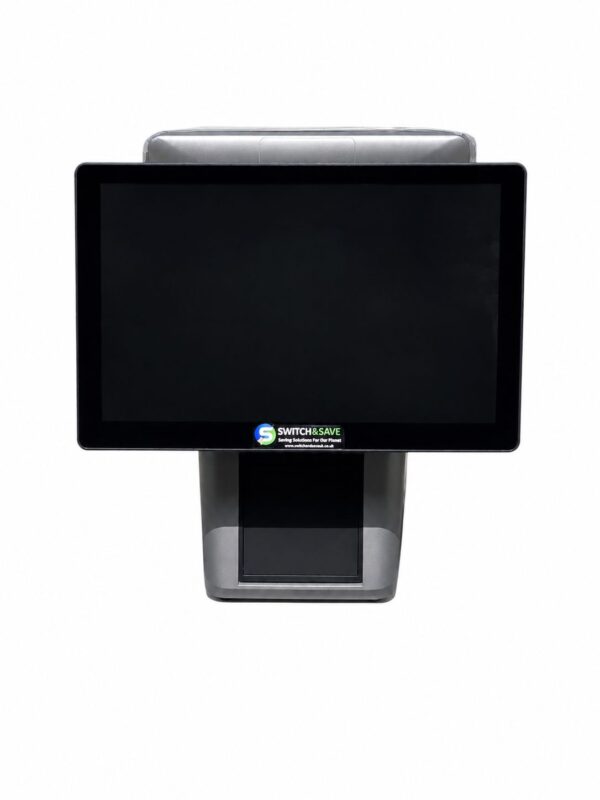
Less searching. A clearer next step.
Choose the question closest to yours. Our UK guides explain costs, terms and options with worked examples and links to primary sources.
What am I actually paying for?
Find the important lines on your statement and distinguish processing fees from equipment and other charges.
Check charges beyond the headline rate →Which costs could I reduce?
Build a reliable starting figure, question avoidable charges and prepare for a useful conversation with your provider.
Prepare to negotiate →Is this quotation actually cheaper?
Compare the same sales and payment counts, find missing costs and check the complete agreement.
Assess a retention offer →Do I need an EPOS system or a card reader?
Start with how your business works, then price the equipment, software and connections it needs.
Explore payment setups →Which providers should I research?
Browse eleven payment and EPOS providers, explore their cost guides and prepare the questions to ask before requesting a quote.
Compare online payment providers →What will it cost to leave?
Check notice periods, rental commitments and termination charges before counting on a saving from switching.
Work out switching break-even →A common set of figures. A more useful conversation.
Understand the bill.
See your recurring costs clearly, identify information you still need and decide which questions are worth asking.
Compare the full commitment.
Use consistent assumptions to assess running costs, future one-off charges and the cost of keeping or changing a plan.
Explain the comparison.
Work through a quotation with a client or colleague and keep a report showing the entries, assumptions and result.
Know what the answer is based on.
EPOS Savings is operated by Search And Submit Ltd. The calculator compares the figures you enter; the guides help you understand the questions behind them.
Unknown stays unknown.
A missing charge is not silently treated as zero. Keep a checklist and return when the required figures are available.
The workings stay visible.
Review the entered costs and assumptions. Comparisons can show savings or extra costs, including the switching charges you enter.
You decide what to share.
Use the calculator without registration. Your report is included in a review request only when you choose it.
The main calculator assumes the entered month repeats; the seasonal calculator accepts twelve individual months. Both use the VAT basis you supply. It does not independently verify statements, generate provider quotations or rank the whole market. A saving is an estimate for the stated figures and period.
Need help with a bill
or quotation?
Get help understanding your figures and comparing a quotation.
Based on the information you supply. No obligation to buy a service. You can use the calculator without requesting a review.
- Tell us what is unclearA charge you cannot explain, an incomplete quote or a result you want to understand.
- Choose what to shareInclude your report or missing-figures checklist only if you want to.
- Check and send your requestCheck your details, then send your request.
Your question
Fields marked * are needed to prepare your request.
Up to 2,000 characters. Please leave out card numbers, bank details, passwords and customer information.
Check your request
Check the contact details, question and any report below. You can copy the request into an email if online sending is unavailable.
For now, copy the request text, open an email to info@epossavings.co.uk and paste it into your message. Opening your email app does not send anything. If online sending is unavailable, paste the copied request into your message.
Before you start.
What is EPOS Savings?
EPOS Savings is a free UK card payment and EPOS cost calculator with practical research guides and an optional free initial review. It helps you understand existing costs and compare figures from another offer. About the service.
What do I need to check my current costs?
Use card sales and recurring provider charges from the same representative month, plus separate monthly and annual costs. You do not need another quotation. Mark missing figures as unknown. Find the figures on your statement.
What does the quotation comparison include?
Enter processing rates, payment counts, equipment, software, other recurring charges and future one-off costs. You can include switching costs, specified introductory processing rates and contract commitments. Check the supported features and limits.
Do I have to register or share my figures?
No registration is required. Calculator entries stay in your open browser page unless you choose to include a report in a review request. Entries clear when you reload, so download what you need before leaving. Read the privacy notice.
Will switching definitely save money?
No. A different offer can cost more once all charges and the cost of moving are included. The result depends on the complete figures you enter and the comparison period. Confirm the written agreement before deciding.
What happens if I request a free review?
We review your figures and help identify points to clarify. What the free initial review includes.
Start with the calculator ↑ or find a guide for your question ↑.